SYSTEM ONLINE — v2.0 STABLE

TAKE CONTROL.

Transform your smartphone into a high-precision, ultra-low-latency remote control. Built for power users who demand perfection.

<20ms Latency
4 Control Modes
3 Platforms
Mouse Keyboard App Interface
// UDP_STREAM :: M|dx|dy :: PORT:5555 :: LATENCY:12ms :: STATUS:ACTIVE // TCP_CMD :: {"cmd":"CLICK_LEFT"} :: PORT:5556 :: QR_AUTH:OK // MODE:TOUCHPAD :: GYRO:ENABLED :: MEDIA:READY // UDP_STREAM :: M|dx|dy :: PORT:5555 :: LATENCY:12ms :: STATUS:ACTIVE // TCP_CMD :: {"cmd":"CLICK_LEFT"} :: PORT:5556 :: QR_AUTH:OK // MODE:TOUCHPAD :: GYRO:ENABLED :: MEDIA:READY // 

ENGINEERED FOR
PRECISION.

CONTROL_MODE_01
Precision Touchpad
Laptop-grade multi-touch experience. Two-finger velocity-sensitive scrolling, tap-to-click, and right-click support — all tuned for high-refresh-rate displays.
CONTROL_MODE_02
Air Mouse
Gyroscope-powered cursor control. Move your phone in 3D space to point precisely — born for presentations and home theaters.
CONTROL_MODE_03
Media Hub
Dedicated media remote with large touch targets for volume, playback, and system navigation. Designed for low-light environments.
PROTOCOL :: DUAL_LAYER
Zero-Config. Sub-20ms.
QR code pairing means no IP addresses, no accounts, no friction. Our proprietary dual-protocol stack (UDP + TCP) keeps cursor movement at 12ms average on a 5GHz network.
KEYBOARD
Full System Control
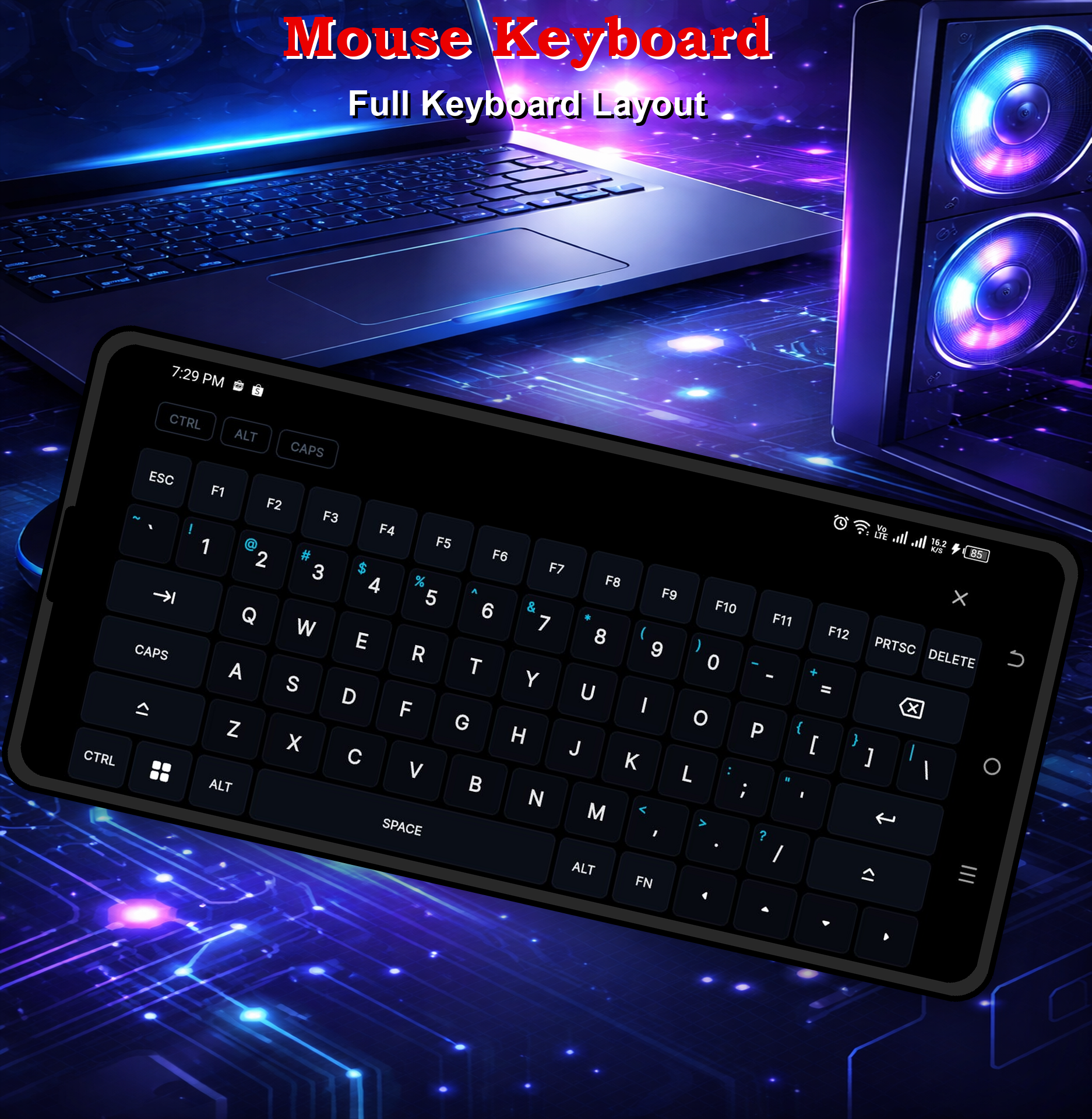
Complete QWERTY remote keyboard with system shortcuts: Alt+Tab, F11 Fullscreen, Escape, and Presentation Mode keys all supported out of the box.
Alt+Tab F11 Esc Vol ▲▼ Play/Pause ← → ↑ ↓ F5 Slide TYPE_TEXT

A TASTE OF
WHAT IT LOOKS LIKE.

[ 01 / 03 ]

Clean.
Minimal.

Intuitive.

Unlike cluttered remote apps, Mouse Keyboard relies on large touch targets, smart iconography, and dark modes engineered for low-light environments—perfect for presentation rooms and home theaters alike.

Learn How To Use
Touchpad Interface
[ 02 / 03 ]

Advanced
Navigation.

Take full control of your entertainment setups. Dedicated media layouts and a precision presentation clicker mode ensure you never miss a beat—whether you're streaming or presenting live.

Media Controller Interface
[ 03 / 03 ]

Seamless
Connection.

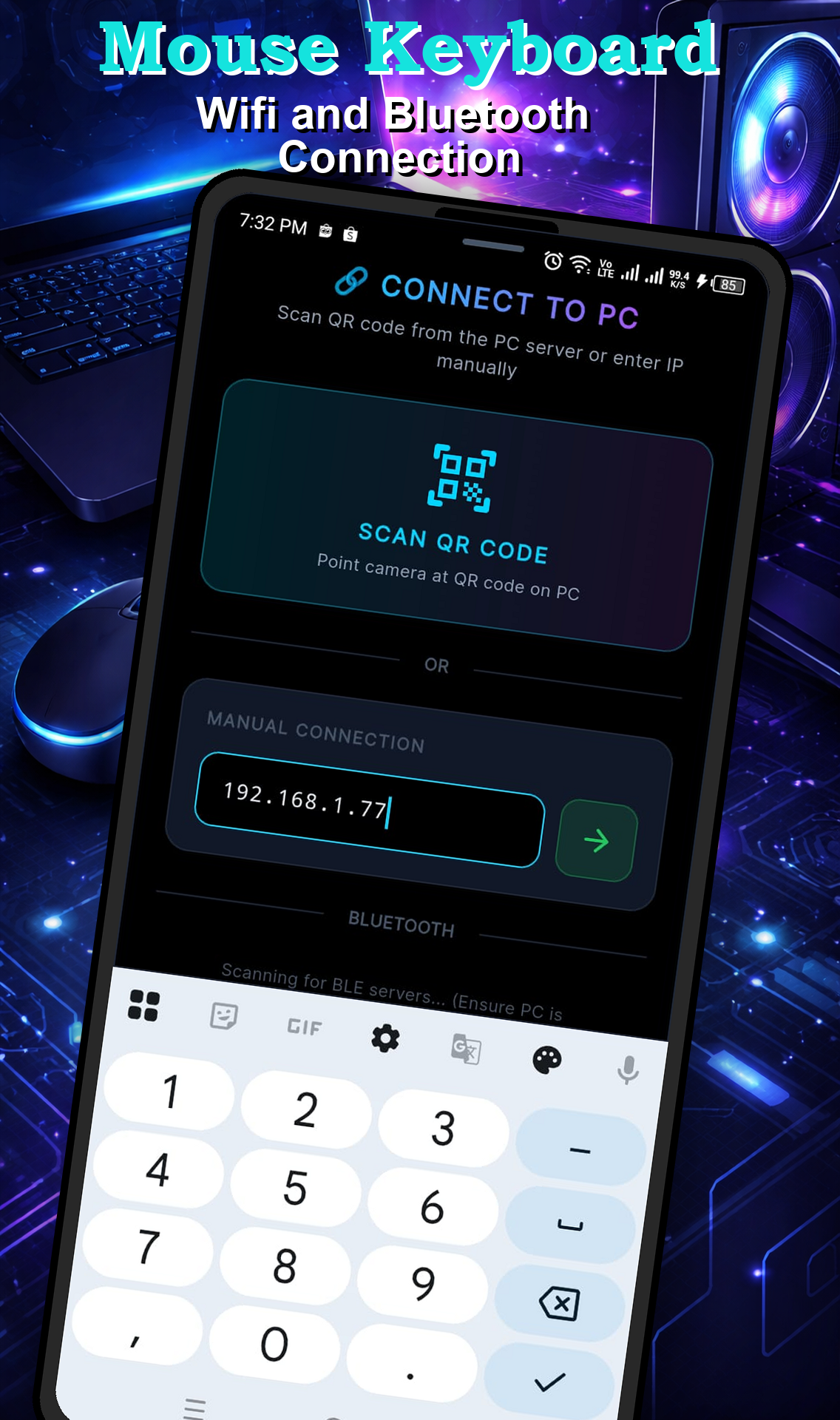
One QR code. Instant pairing. Our zero-configuration architecture pairs your phone to any target device in under two seconds — across Windows, macOS, Linux, and Android TV simultaneously.

QR Code Connection Screen

BUILT FOR
YOUR STACK.

Every component of our ecosystem has been optimized for reliability and performance across all major platforms.

Mobile Controller
Sensors & OS Requirements
  • Android 9.0+ or iOS 14.0+
  • Gyroscope & Accelerometer (Air Mouse)
  • Wi-Fi connectivity (same LAN as server)
  • Camera access for QR scanning
  • Nearby Devices permission (Android 12+)
Desktop Server
Windows / macOS / Linux
  • Windows 10/11 (recommended)
  • macOS 11.0 Big Sur or later
  • Linux (X11 or Wayland)
  • Admin rights for system shortcuts
  • Less than 100MB RAM usage
Android TV Server
TV Box / Tablet
  • Android 7.1+ minimum
  • Overlay Permission (Draw over apps)
  • Accessibility Service enabled
  • Power management exclusion
  • Same local Wi-Fi as mobile controller

DEPLOY
YOUR SERVER.

// Select your platform. Begin control. //

// ANDROID TV SERVER AVAILABLE IN-APP — LAUNCH APP → SWITCH TO SERVER MODE //